Your inventory
+ Suggest a resourceSign in
CATALOG RESOURCE

MezzConfigGUI: a client-side mod configuration screen

03.11.2026 · Compatibility not verified

↓ Choose a version
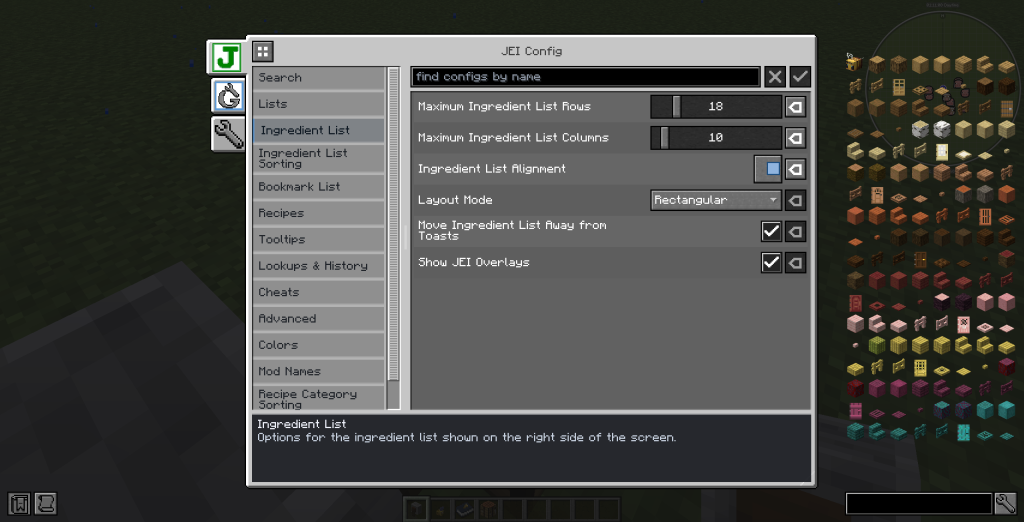
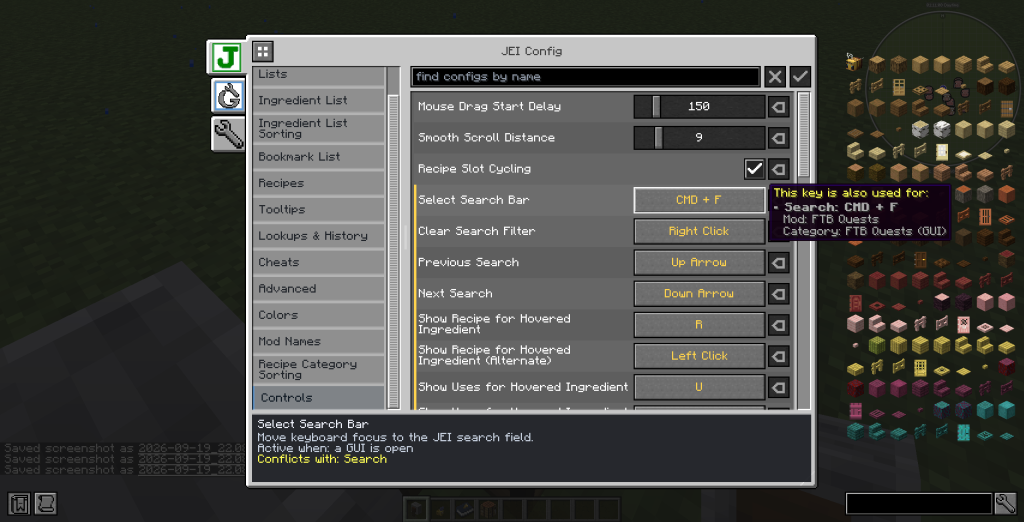
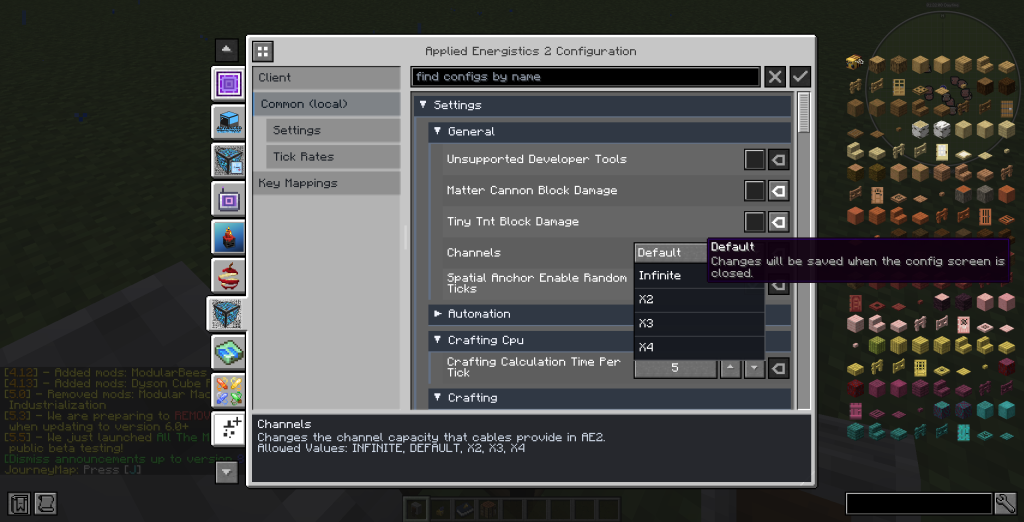
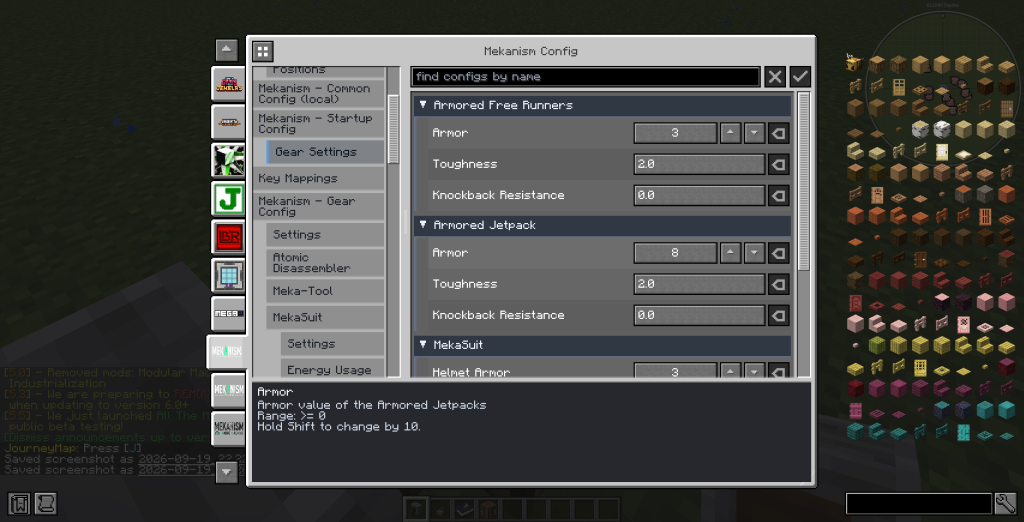
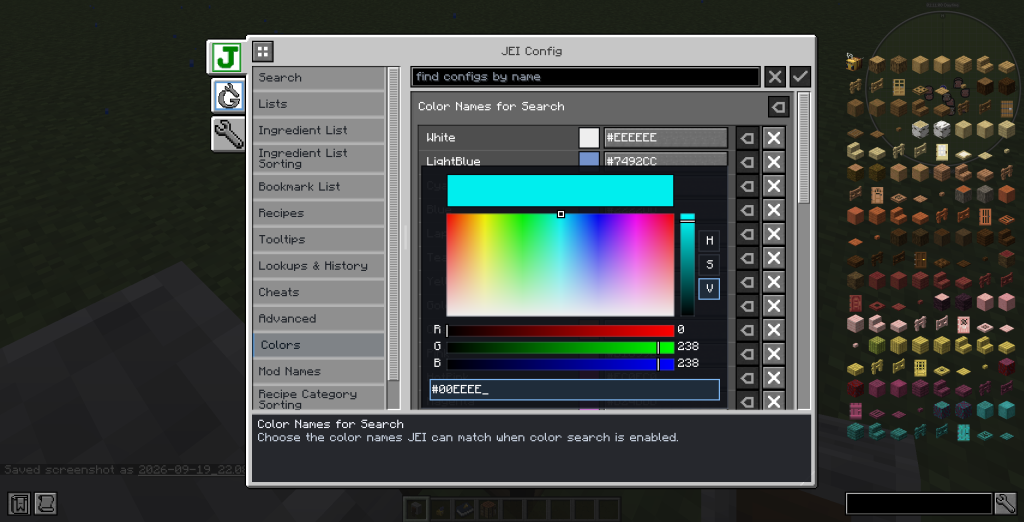
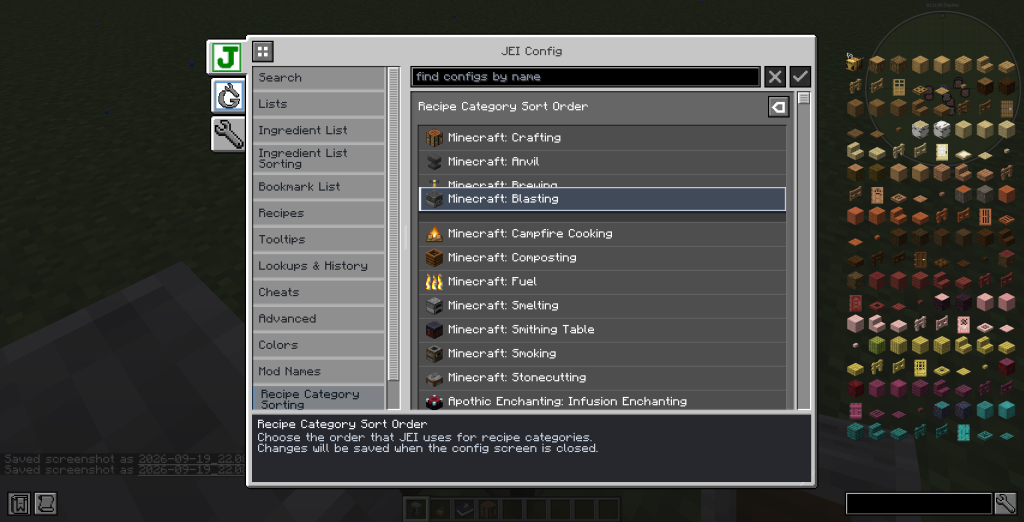
Скриншот интерфейса модификации конфигурации для Minecraft

A screen for MezzConfig settings

MezzConfig GUI is a client-side configuration screen. It discovers schemas registered through MezzConfig and lets users edit common value types. Its scope is registered settings, rather than a promise to configure every mod.

For mod authors

The API supports additional screen customization. The settings available to a player depend on the schemas registered by the mod using MezzConfig.

Selected release files

The metadata below describes specific author-provided files. Resource release, platform and Minecraft version are separate fields.

Release Minecraft Platform Required
mc26.3-0.6.3 26.3 fabric MezzConfig; Fabric API
mc26.3-0.6.3 26.3 neoforge MezzConfig
mc1.19.2-0.5.10 1.19.2 forge MezzConfig
mc1.19.2-0.5.10 1.19.2 fabric Fabric API; MezzConfig
mc1.20.1-0.5.11 1.20.1 fabric MezzConfig; Fabric API

Author screenshots

Illustrations from the project description and gallery, with original sources and credits retained for each image.
Author screenshots
Author screenshots
Author screenshots
Author screenshots
Author screenshots
CHOOSE YOUR BUILD

Available downloads

The edition, Minecraft version and loader or client must match the selected file.

Latest release

mc26.3-0.6.3

Edition / projectMinecraft Java Edition
Game / loader / clientfabric
Minecraft version26.3
File size0.73 MB
Release date2026-11-01
Last verifiedNot specified

Requirements and dependencies

MezzConfig; Fabric API

Author-provided SHA-256No checksum provided
Older versions 4
Archived release

mc26.3-0.6.3

Edition / projectMinecraft Java Edition
Game / loader / clientneoforge
Minecraft version26.3
File size0.78 MB
Release date2026-11-01
Last verifiedNot specified

Requirements and dependencies

MezzConfig

Author-provided SHA-256No checksum provided
Archived release

mc1.19.2-0.5.10

Edition / projectMinecraft Java Edition
Game / loader / clientforge
Minecraft version1.19.2
File size0.77 MB
Release date2026-10-17
Last verifiedNot specified

Requirements and dependencies

MezzConfig

Author-provided SHA-256No checksum provided
Archived release

mc1.19.2-0.5.10

Edition / projectMinecraft Java Edition
Game / loader / clientfabric
Minecraft version1.19.2
File size0.71 MB
Release date2026-10-17
Last verifiedNot specified

Requirements and dependencies

Fabric API; MezzConfig

Author-provided SHA-256No checksum provided
Archived release

mc1.20.1-0.5.11

Edition / projectMinecraft Java Edition
Game / loader / clientfabric
Minecraft version1.20.1
File size0.70 MB
Release date2026-10-17
Last verifiedNot specified

Requirements and dependencies

MezzConfig; Fabric API

Author-provided SHA-256No checksum provided

How to install

  1. Check the edition, Minecraft version and loader or client in the table.
  2. Back up your world and read the author’s instructions.
  3. Download the selected file and follow the author instructions for your edition.
  4. Launch the game and check it in a separate test world.

Java: check Vanilla, Forge, Fabric or NeoForge. Bedrock: follow the add-on or world author instructions. Rust clients require separate compatibility testing.

HELP IMPROVE THE CATALOG

Report a problem

Include your version and describe the issue. Your report will be visible to site editors.

Do not include passwords, tokens or other personal information. Privacy policy

WAS THIS ARTICLE HELPFUL?

Reader rating

Rate how useful this article is. Mod compatibility is checked separately by editors.

Be the first to rate this article.

Sign in to rate this article.

PERSONAL COLLECTION

Your inventory

Your collection is stored in this browser. No account required.