

 Your inventory
 Sign in

Keybind Atlas
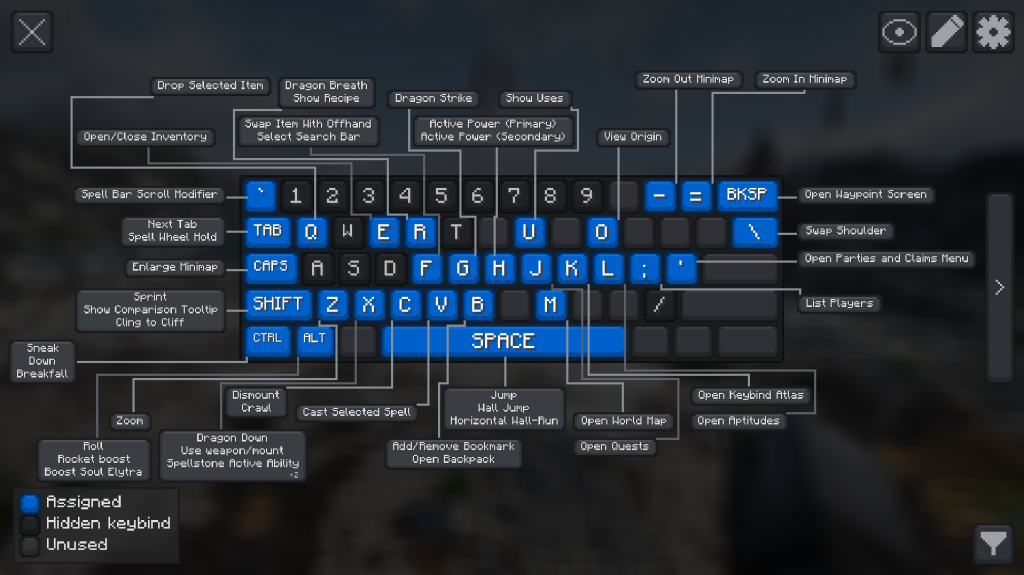
Keybind Atlas provides a visual map of the keyboard and mouse, displaying current key assignments for all installed mods and vanilla Minecraft. Pressing K by default opens the interface to show the status of assigned and free keys. Hovering over a key reveals an information window with the action name and modifier key name. A search bar at the top allows filtering actions or mods. Keys can be removed or reassigned directly through the interface without using the settings menu. Changes can be undone, deleted, or applied after reviewing the list of modifications. Multiple keybind sets can be created to switch between different configurations, with Alt+K used by default for switching.
Keybind Atlas
| Action | How to perform |
|---|---|
| Keybind Atlas is a client-side visual keybinding overlay that shows players what every key does, across vanilla and modded content. | |
| How? When players open the atlas(default key K), it reads their current keybinding state and renders a live visual map of their keyboard and mouse. Each key is color-coded based on whether it’s assigned, unused, or hidden, and hovering over a key shows an info box with the action name and source mod. Players can also enter edit mode to manage bindings directly from the overlay. | |
| Why? Modpack controls get crowded fast. Instead of digging through long controls menus, players can open a readable map and understand where bindings come from at a glance, and easily edit them. | |
| <img src=”https | //raw.githubusercontent.com/joaovitorborges/UmbraLykos-mods/main/images/keybind-atlas.webp” alt=”Keybind Atlas” width=”650″> |
Live Visual Overview
| Action | How to perform |
|---|---|
| Keybind Atlas reads the current keybinding state from vanilla Minecraft and installed mods, then renders a live map of the player’s keyboard and mouse. If a player changes a binding or adds a mod, the atlas updates dynamically. | |
| Keys are visually separated by state | |
| – Assigned for keys with active bindings | |
| – Unused for free keys | |
| – Hidden for bindings the player chooses to keep out of the overview | |
| Hovering a key shows the action name and source mod. | |
| You can also search for a specific action or mod in the top search bar, highlighting the assigned keys. |
In-Overlay Editing
| Action | How to perform |
|---|---|
| Players can manage bindings directly from the overlay | |
| – Remove or rebind an assigned key | |
| – Browse unassigned bindings grouped by mod | |
| – Assign actions to new keys | |
| – Undo changes, discard them, or apply them when ready | |
| – List all changes before applying | |
| <img src=”https | //raw.githubusercontent.com/joaovitorborges/UmbraLykos-mods/main/images/edit.webp” alt=”Keybind Atlas edit” width=”650″> |
Keybind Sets
| Action | How to perform |
|---|---|
| You can create and manage multiple keybind sets, allowing you to switch between different configurations easily. Each set is saved as a JSON file in the config folder, and you can rename or delete sets as needed. The selected set is remembered and automatically tracks edits. Includes a keybind to cycle between sets (default Alt+K). | |
| Each snapshot is its own JSON file under config/keybindatlas/sets/, containing a display name and bindings mapped to key and modifier values. Names must be unique (case-insensitive). |
Keybind Atlas: Managing Save Files and Keybinding Sets
The mod stores every set of keybindings in a separate JSON file located within the config/keybindatlas/sets/ directory. When creating or editing these sets, ensure that names are unique and case-insensitive to avoid conflicts. The interface updates automatically whenever settings change or new mods are added to the game.
Keybind Atlas
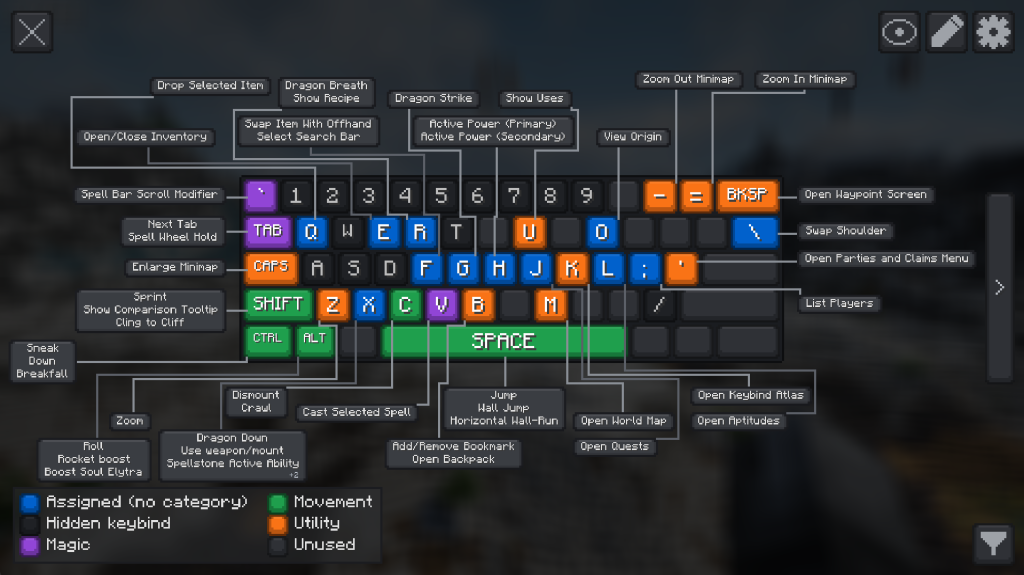
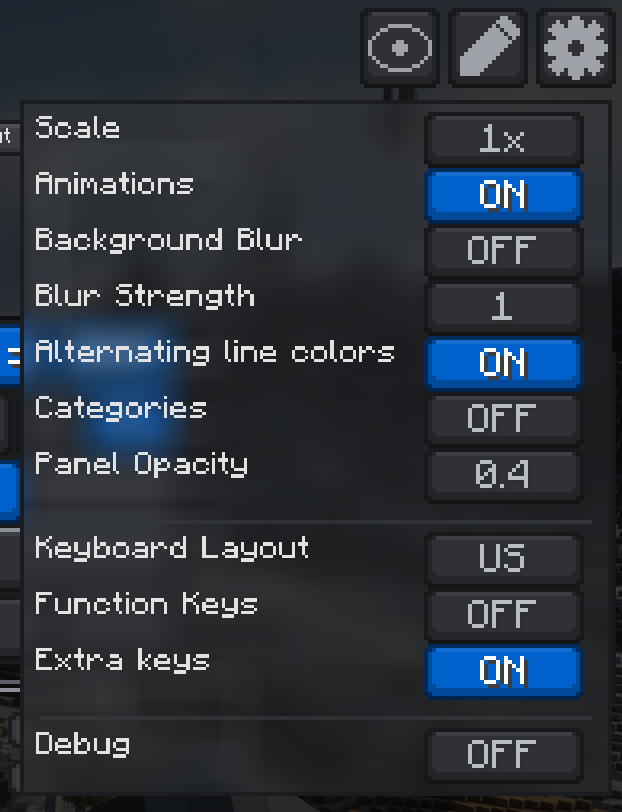
This mod filters visible keybindings by modifier or specific actions to reduce visual clutter. It organizes assigned bindings into user-defined categories with color coding and supports mouse visualization alongside the keyboard overlay. The editor includes a Box Layout & Routing section where you can adjust block sizes, margins, and connector preferences. You can remap controls within the same screen without restarting the game.
Keybind Atlas
Keybind Atlas is a client-side mod for Minecraft Java Edition that manages the opening of its interface using specific commands and keys. Players can trigger the interface by typing the command /keybindatlas in the chat or by pressing the ‘K’ key directly. The mod operates exclusively on the client, meaning it does not require installation on the server.
Minecraft versions and loaders
| Release | Minecraft | Loader / client | Dependencies |
|---|---|---|---|
| 2.3.0 | 26.2 | neoforge | — |
| 2.3.0 | 26.2 | fabric | — |
Detailed characteristics 1
| Name | Description |
|---|---|
| Assigned | for keys with active bindings |
| Unused | for free keys |
| Hidden | for bindings the player chooses to keep out of the overview |
Detailed characteristics 2
| Name | Description |
|---|---|
| Side: | Client-side only, no server installation is required. |
| Default open key: | `K` |
| Open command: | `/keybindatlas`, handled client-side without server installation or operator permissions. |
| Supported keyboard layouts: | US QWERTY, UK QWERTY, Brazilian ABNT2, French AZERTY, Belgian AZERTY, German QWERTZ, Swiss QWERTZ, Spanish QWERTY, Italian QWERTY, and Nordic QWERTY |
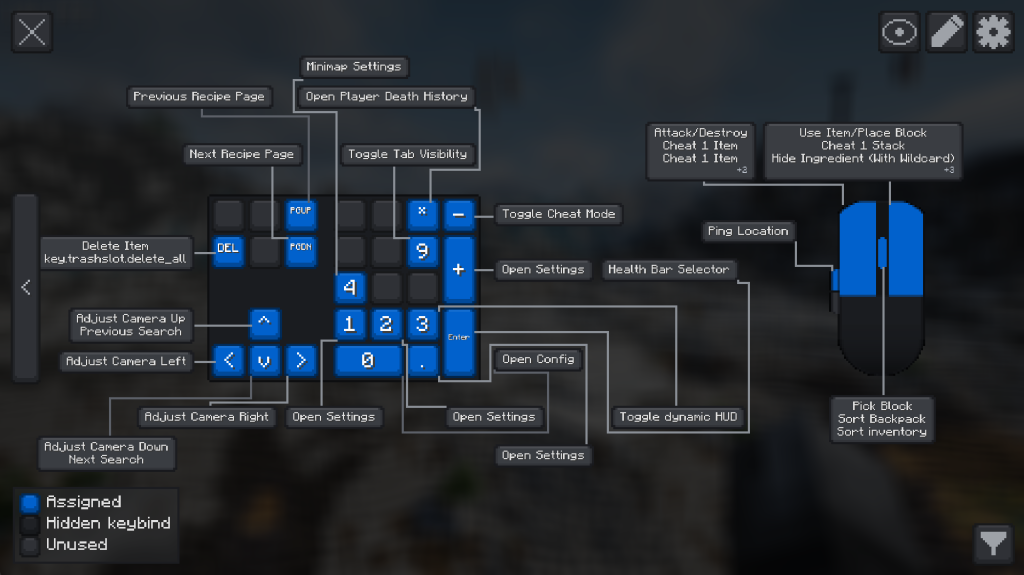
| Mouse support: | Integrated mouse visualization is included alongside the keyboard overlay. |
| Supported localizations: | English (US), English (UK), Portuguese (Brazil), French, German, Spanish, Italian, Dutch (Belgium), Danish, Swedish, Norwegian Bokmal, Finnish, Russian, and Simplified Chinese |
Project screenshots
Illustrations from the project author.
 How to install
Discussion 0
Share your experience, ask questions and help other players.
It is quiet here. Your experience could help someone.