Your inventory
+ Suggest a resourceSign in
CATALOG RESOURCE

Render Distance+ for Minecraft Java Edition

03.11.2026 · Compatibility not verified

↓ Choose a version
Render Distance+

Render Distance+ Dependencies

To run Render Distance+, you must install the mods Chunky, Voxy, and Sodium. This mod relies on these specific libraries to function correctly within the game environment.

Minecraft versions and loaders

Release Minecraft Loader / client Dependencies
1.2.0 1.21.8, 1.21.9, 1.21.10, 1.21.11, 26.1, 26.1.1, 26.1.2, 26.2, 26.3 fabric, quilt —
1.1.1 1.21.8, 1.21.9, 1.21.10, 1.21.11, 26.1, 26.1.1, 26.1.2, 26.2, 26.3 datapack —

Detailed characteristics 1

Name Description
Performance-friendly background loading

Detailed characteristics 2

Name Description
User-Friendly GUI designed for effortless configuration

Detailed characteristics 3

Name Description
100% Automated Background Loading: The datapack dynamically handles all the heavy Chunky commands in the background while the player explores the world.
Full Dimension Support: Works automatically across all vanilla dimensions (The Overworld, The Nether, and The End).
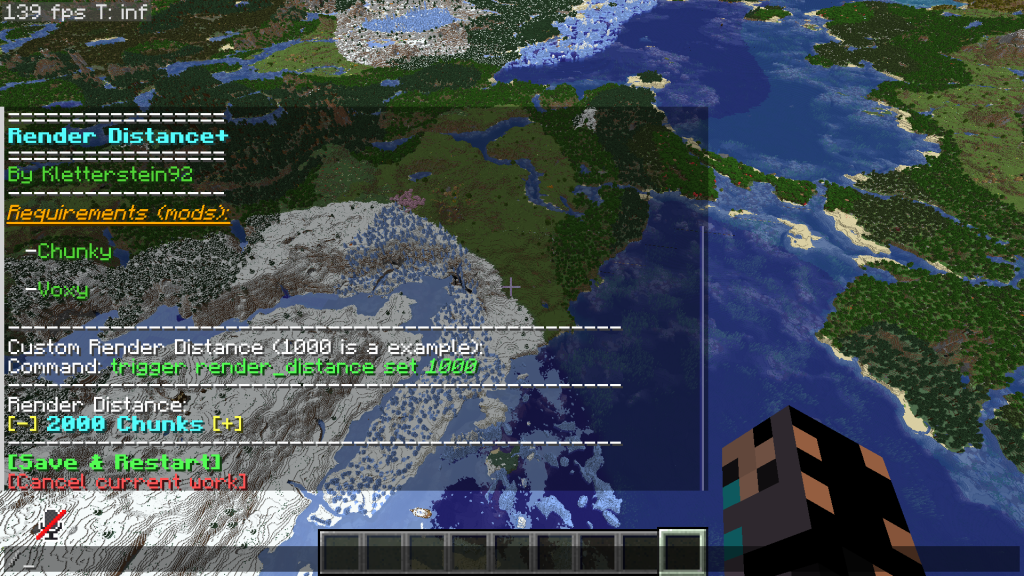
In-Game Settings GUI: No need to edit config files. Change your generation speed, maximum target distance, and toggle features directly via an intuitive in-game interactive chat GUI.

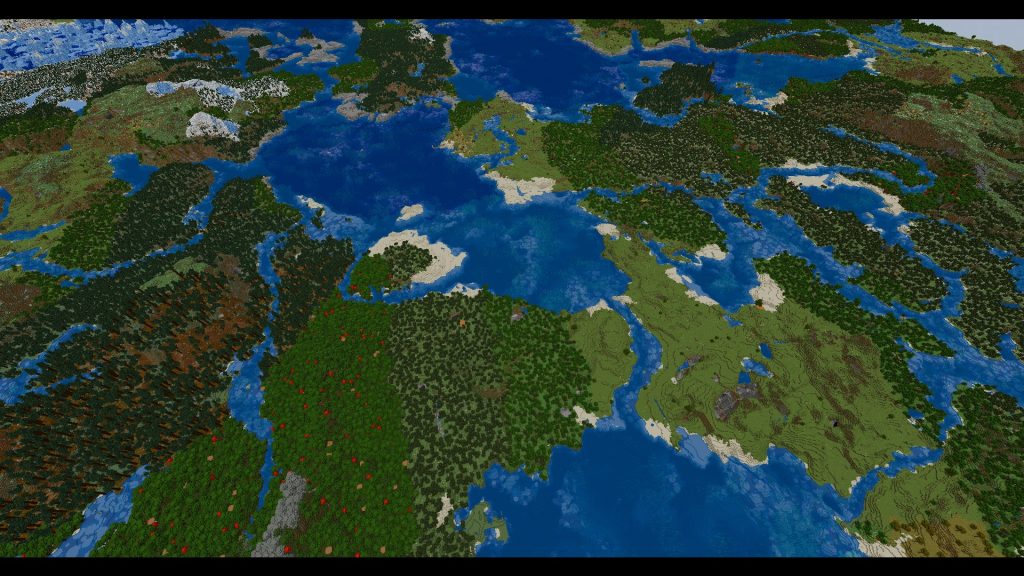
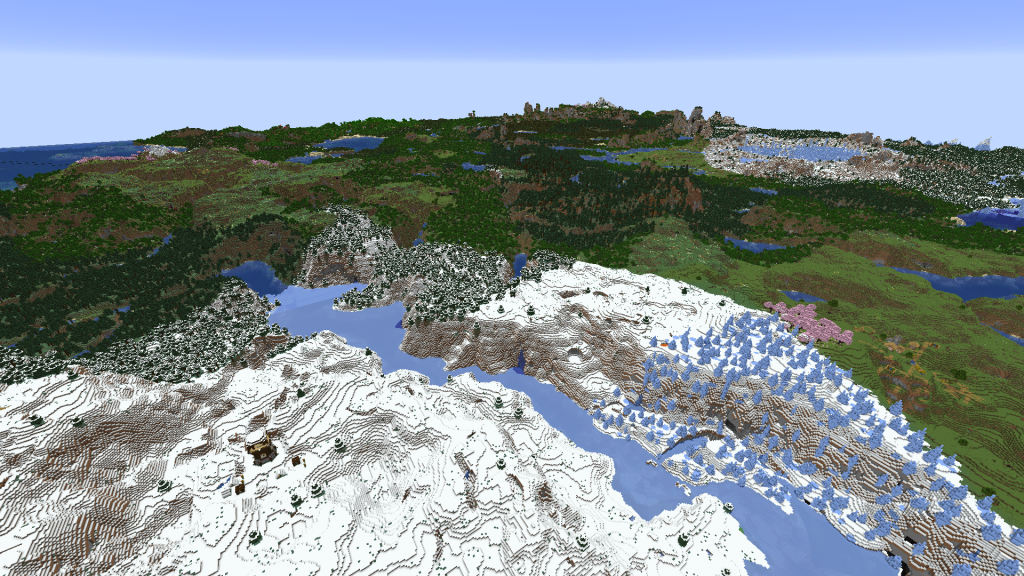
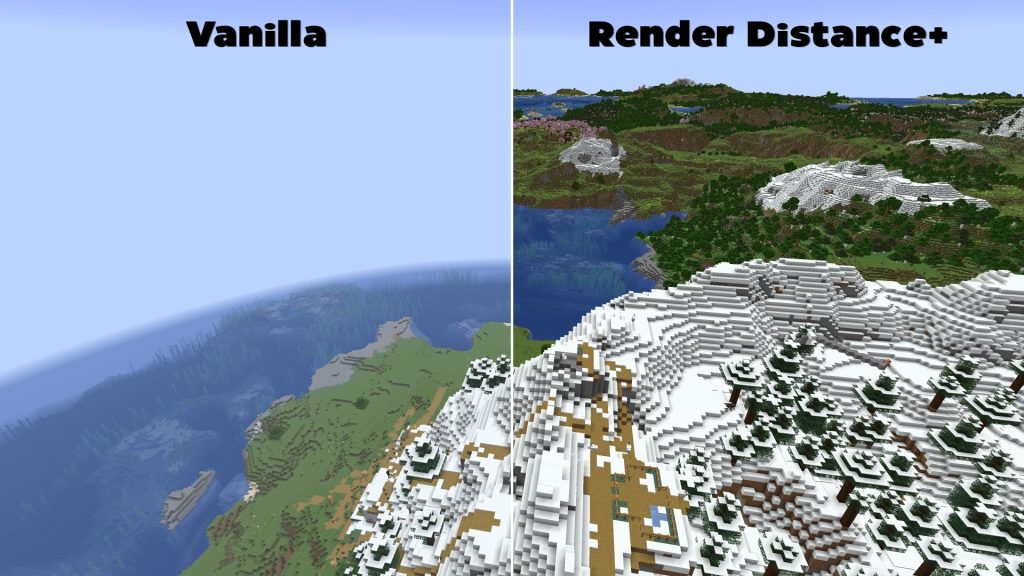
Project screenshots

Illustrations from the project author.

Project screenshots
Project screenshots
Project screenshots
Project screenshots
CHOOSE YOUR BUILD

Available downloads

The edition, Minecraft version and loader or client must match the selected file.

Latest release

1.2.0

Edition / projectMinecraft Java Edition
Game / loader / clientfabric, quilt
Minecraft version1.21.8, 1.21.9, 1.21.10, 1.21.11, 26.1, 26.1.1, 26.1.2, 26.2, 26.3
File size0.13 MB
Release date2026-11-01
Last verifiedNot specified
Author-provided SHA-256No checksum provided
Older versions 1
Archived release

1.1.1

Edition / projectMinecraft Java Edition
Game / loader / clientdatapack
Minecraft version1.21.8, 1.21.9, 1.21.10, 1.21.11, 26.1, 26.1.1, 26.1.2, 26.2, 26.3
File size0.13 MB
Release date2026-10-25
Last verifiedNot specified
Author-provided SHA-256No checksum provided

How to install

  1. Check the edition, Minecraft version and loader or client in the table.
  2. Back up your world and read the author’s instructions.
  3. Download the selected file and follow the author instructions for your edition.
  4. Launch the game and check it in a separate test world.

Java: check Vanilla, Forge, Fabric or NeoForge. Bedrock: follow the add-on or world author instructions. Rust clients require separate compatibility testing.

HELP IMPROVE THE CATALOG

Report a problem

Include your version and describe the issue. Your report will be visible to site editors.

Do not include passwords, tokens or other personal information. Privacy policy

WAS THIS ARTICLE HELPFUL?

Reader rating

Rate how useful this article is. Mod compatibility is checked separately by editors.

Be the first to rate this article.

Sign in to rate this article.

COMMUNITY CAMPFIRE

Discussion 0

Share your experience, ask questions and help other players.

Start the conversation

It is quiet here. Your experience could help someone.

Leave a comment

PERSONAL COLLECTION

Your inventory

Your collection is stored in this browser. No account required.