

 Your inventory
 Sign in


What the library provides
The current LDLib description covers LDLib2, a full rewrite of the original library for modern Minecraft and NeoForge. It primarily serves mod authors with infrastructure for interfaces, rendering, synchronization, persistent data and in-game tools.
LDLib2 capabilities
| Subsystem | Included tools |
|---|---|
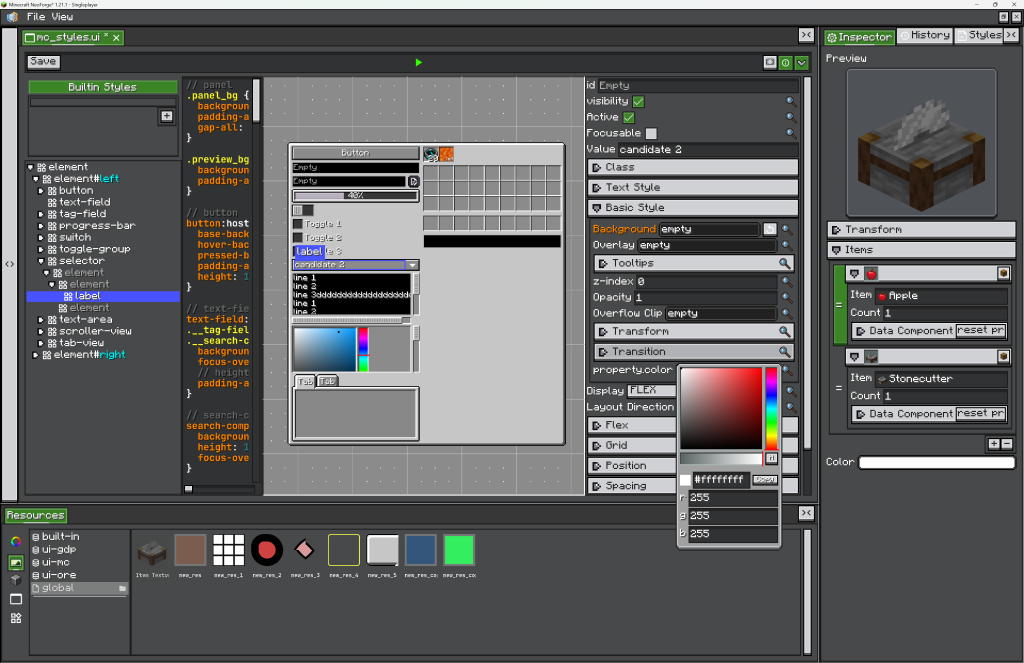
| Interfaces | Taffy layouts, LSS styles, reusable components, XML, data binding, RPC events and HUD overlays. |
| Synchronization and persistence | @Persisted, @DescSynced, NBT, codecs and dirty-field synchronization. |
| Graph editors | Nodes, ports, wires, variables, subgraphs, blackboards and undoable commands. |
| In-game editor framework | Dockable views, project files, resource browsing, inspectors, history and settings. |
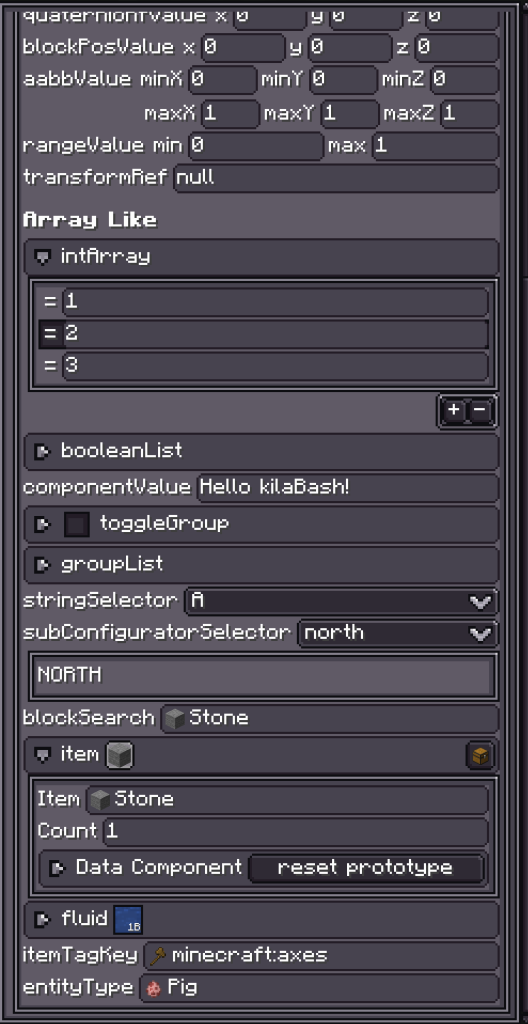
| Property panels | Ranges, selectors, lists, search, undo history and persistence. |
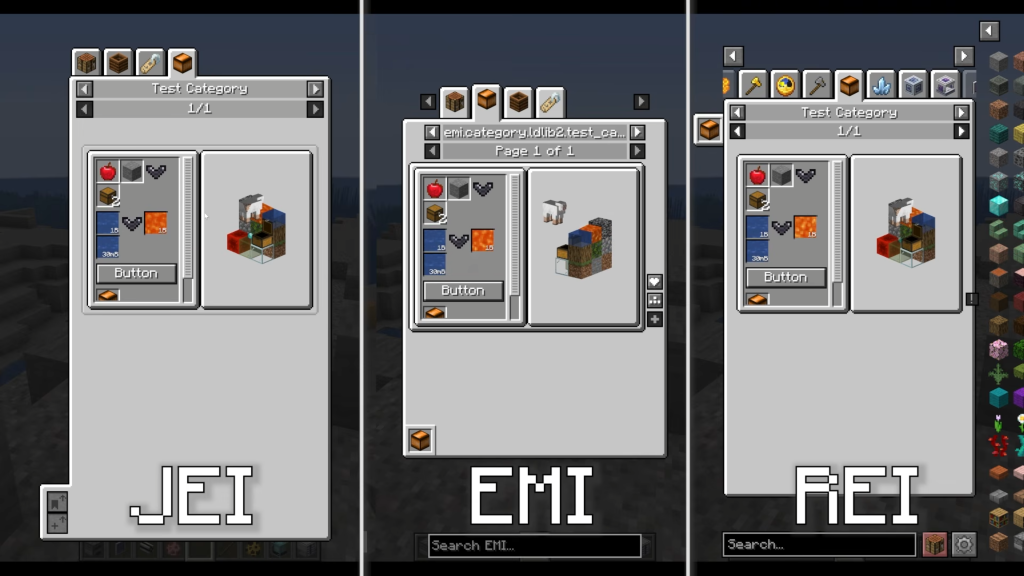
| Rendering and integrations | Shaders, textures, models, scenes, and integrations with JEI, REI, EMI and KubeJS. |
LDLib generations
LDLib2 is a rewrite of the original LDLib. Check the library generation and release required by the mod you are installing; the newer generation’s features do not automatically describe older LDLib files.
Developer tools
Illustrations from the author’s description: the interface editor, configurator and recipe displays in JEI, EMI and REI.
Selected release files
The metadata below describes specific author-provided files. Resource release, platform and Minecraft version are separate fields.
| Release | Minecraft | Platform | Required |
|---|---|---|---|
| mc1.21.1-2.2.45-neoforge | 1.21, 1.21.1 | neoforge | — |
 How to install